Snap! Mobile
3.0 35.00 Reviews
Analysis By AppCompare
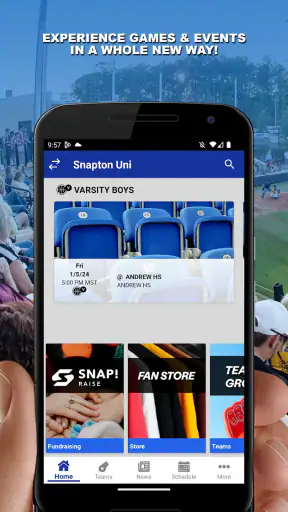
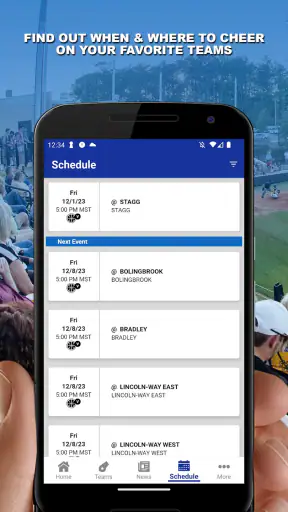
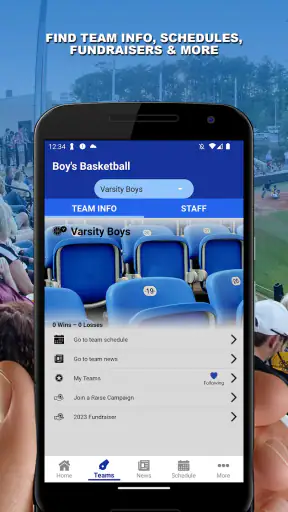
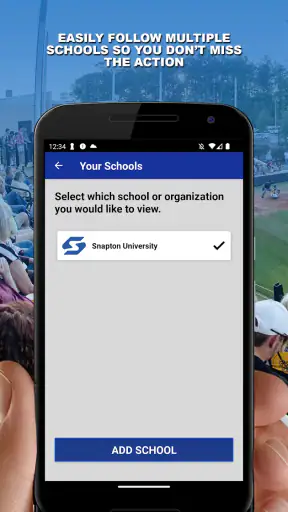
I found Snap! Mobile most useful when I stopped thinking of it as a general sports app and treated it as a shared coordination space for athletics and activities. That distinction matters in a household. One person may need to follow a child’s sporting activity, another may help with schedules, and the athlete may only open the app when there is something new to check. The value is less about individual entertainment and more about keeping activity-related information in one place.
It is a free sports app from Snap! Mobile Inc, aimed at an Everyone audience. The current release is version 172.24.3, and it requires Android 10 or later. I would describe it as a practical companion for people already connected to an organized athletic environment, rather than a standalone training tool that creates a complete fitness plan from scratch.
How Snap! Mobile fits into a shared household
A realistic use case is a family with one athlete and several adults involved in the routine. A parent may be the person who checks updates first, while another household member handles transportation or needs to know what is happening before leaving work. In that situation, a central app can be more convenient than passing messages through several conversations.
My main advice is to decide who actually needs access before installing it on every phone. A shared device can be useful when a younger athlete does not have a personal phone, but it also creates a clear boundary: whoever holds that device may see the activity information available through the account. I would avoid casually treating a family tablet as a neutral noticeboard unless everyone understands who can open it and when.
The app’s usefulness depends heavily on the surrounding organization. If the relevant team, school, club, or activity group is not using Snap! Mobile in a meaningful way, there may be little reason for a household to adopt it alone. It is not a replacement for a coach, a parent conversation, or a personal calendar. Instead, it works best as one layer in an existing sports routine.
That makes the app a slightly unusual recommendation. A household looking for workout tracking, exercise statistics, or a private training diary should look elsewhere. Someone trying to stay connected to organized athletics may find the shared context more valuable than another individual fitness dashboard.
Start with clear account boundaries
Before relying on the app, I would establish whose account is being used and what each person is expected to do with it. This is especially important when a parent signs in on behalf of a younger athlete. The adult may become the practical owner of the account, while the athlete is the person most affected by the information inside it. Keeping those roles clear prevents confusion later.
I also recommend avoiding a single household login as a default habit unless that is genuinely how the relevant activity is organized. Shared credentials can be convenient, but they make it harder to know who changed something, who saw an update, or which device is still signed in. That is not a criticism of one particular feature; it is a sensible boundary for any app used by several people.
On a shared phone or tablet, I would use the device’s own lock and user separation tools where available. The Everyone age rating makes the app approachable for a broad audience, but an age rating is not the same thing as a complete family privacy plan. Adults should still decide whether the device, account, and notifications are suitable for the athlete using them.
Another practical step is to agree on a simple routine. For example, one adult can check the app at a chosen time and pass along anything that affects transport or preparation. This prevents every family member from repeatedly checking the same screen and reduces the chance that an important update is missed among unrelated phone notifications.
Coordination is where the app earns its place
In my experience, sports apps become worthwhile when they reduce small coordination failures. A household does not necessarily need more information; it needs the right information to reach the right person at the right moment. Snap! Mobile makes the most sense when it is part of that handoff between the activity and the people supporting it.
Consider a weekday when one parent is working late and another is responsible for getting the athlete where they need to be. The person who checks the app can relay the relevant detail without asking the athlete to explain the entire situation from memory. The app does not remove the need for communication, but it can give the conversation a common reference point.
A useful workflow is to separate “must act” information from “good to know” information. If an update changes a pickup plan, mention it immediately. If it is merely an informational item, leave it for the regular check-in. This approach keeps the app from becoming a source of constant interruptions, particularly when several household members receive activity-related notices.
I would also avoid using Snap! Mobile as the only calendar for a busy family. Sports coordination often overlaps with school, work, appointments, and travel. A household calendar remains better for seeing the whole day. The app should be treated as the activity-specific source, while the calendar handles the wider household picture. That division is one of the most useful trade-offs I found.
For an athlete who shares a device with siblings, timing matters too. Checking updates before leaving for practice is more useful than leaving the app open all day. A short, predictable review makes the app feel like a tool rather than another stream competing for attention.
Age, trust, and the role of adults
The Everyone rating makes Snap! Mobile easier to consider for mixed-age households, but I would still frame it as an app that benefits from adult guidance when younger users are involved. The important question is not simply whether a child can operate the interface. It is whether the child understands which activity information is private to the household, which details can be shared, and who is responsible for acting on an update.
Trust is especially important in organized athletics. Parents may be coordinating transport, athletes may be trying to become more independent, and coaches or activity organizers may expect information to be followed promptly. I would explain to a younger user that the app is not a private chat with the family and not a substitute for asking an adult when something is unclear.
At the same time, adults should avoid turning the app into a surveillance habit. The best household use gives the athlete an understandable role: checking relevant information, asking questions, and taking responsibility for preparation when appropriate. Constantly monitoring a shared sports account can create tension without improving coordination.
For older teenagers, the balance can shift toward independence. They may be able to check activity information themselves and tell the household what matters. In that case, the app becomes a shared reference rather than an adult-controlled dashboard. I prefer that arrangement because it supports the athlete’s participation while keeping practical responsibilities visible.
The app is also a poor fit for a household that expects built-in family management to solve every boundary problem. I would not choose it on the assumption that an age rating automatically provides supervision, or that shared use will be effortless. Device locks, agreed routines, and honest conversations remain more important than the label attached to the app.
What the rating and adoption suggest
Snap! Mobile has an average rating of 3.0 from around a hundred ratings, with roughly three dozen written reviews. I read that as a reason to approach it with realistic expectations rather than dismissing it outright. A middle-of-the-road score often reflects an app that can be useful in the right setting but may not feel equally polished or necessary to every person who downloads it.
Its reach is already above a hundred thousand installs, which suggests that it is not an obscure experiment with no audience. Still, adoption alone does not guarantee that it will fit a particular team or household. The key question is whether the people connected to the activity are actually using it consistently.
The developer, Snap! Mobile Inc, positions the product around athletics and activities, and that focus is visible in how I would recommend it. It is more relevant to a household connected to organized participation than to someone casually looking for sports news or a personal running log. The app’s category is sports, but that label covers many different needs; this one leans toward coordination.
Because it is free, the cost barrier is low. That makes testing it with an existing activity group relatively easy, especially if the household wants to see whether it improves communication. I would still avoid installing it on every available device immediately. Try it with the people who genuinely need it, establish the account arrangement, and expand only if the routine proves useful.
Where it beats familiar alternatives
The usual alternative is a mixture of group messages, email, paper notices, and a household calendar. That mixture can work, but it scatters information. A message may be buried, an email may be overlooked, and a calendar entry may lack the context that explains why a change happened. Snap! Mobile has an advantage when the activity itself is the organizing center.
It can also be less awkward than asking one parent to forward every update manually. A shared app gives the household a common place to check, which is particularly helpful when responsibility changes from one adult to another during the week. The benefit is not dramatic automation; it is fewer small handoffs.
On the other hand, a familiar messaging app remains better for urgent, conversational coordination. If someone is already driving and needs an immediate answer, a direct message or phone call is more appropriate. A calendar remains better for combining sports with the rest of family life. A fitness tracker remains better for personal performance and exercise history.
That comparison defines the app’s limits clearly. Snap! Mobile is not the best single tool for every sports-related task. Its strength is the connection between an organized activity and the people who need to follow it. If your household does not need that connection, a general-purpose tool may be simpler.
Three practical habits that improve the experience
First, I would create a “single source” rule for activity-specific information. If the household agrees that Snap! Mobile is the place to check the latest activity details, people are less likely to rely on old screenshots or forwarded messages. Keep the broader family schedule elsewhere, but use the app as the reference for the activity it supports.
Second, assign a backup checker. This does not mean giving everyone unlimited access or asking several people to monitor the app constantly. It means deciding who checks when the usual person is unavailable. That small arrangement is valuable for households with rotating work shifts, shared custody, or multiple adults helping with transport.
Third, review the setup after a short trial period. Ask whether the app has reduced repeated questions, whether the athlete understands their role, and whether notifications are helping or distracting. If the answer is no, the problem may be the household workflow rather than the app itself. Changing who checks, when they check, or which information belongs in the app can make a bigger difference than adding more devices.
I would add one more habit for shared devices: sign out or switch users when the device passes to someone outside the activity group. This is a basic privacy precaution, but it is easy to overlook when a tablet moves between siblings. The app may be suitable for Everyone, yet the activity context can still be personal to the people involved.
Who should use it, and who should skip it
I would recommend Snap! Mobile to families, athletes, and supporters who are already connected to an organized sports or activity setting and want a focused place for coordination. It is especially promising when several people share responsibility and the current system depends on forwarding messages or remembering verbal updates.
I would be more cautious if only one person needs the information, or if the activity organizer does not use the platform consistently. In that case, the app could add another place to check without solving the underlying problem. A general calendar or direct communication may be more efficient.
I would also skip it as a primary choice for someone seeking structured workouts, detailed personal statistics, or a private training journal. Those needs call for a different kind of sports app. Snap! Mobile’s role is narrower and more social: helping people connected to an activity stay aligned.
Users on older Android devices should pay attention to the operating-system requirement before planning a household rollout. Android 10 is the minimum, so an older spare phone may not be suitable even if it still handles basic messaging and calendar tasks. That is a small but important detail when families reuse devices for younger athletes.
My household verdict
After looking at Snap! Mobile through the lens of shared use, I see a useful but situational sports app. Its best quality is the way it can give an activity-focused household a common reference point. Its biggest weakness is that the benefit depends on the surrounding group and on sensible account habits. Installing it alone cannot create coordination where the activity itself is not using it.
The free price makes experimentation straightforward, and the Everyone rating makes it reasonable to consider for a mixed-age household. I would still introduce it deliberately: choose the people who need access, decide what the app is responsible for, keep the full family calendar separate, and explain the boundaries to younger users.
My final recommendation is therefore conditional but positive. If your family is trying to keep up with organized athletics and is tired of scattered updates, Snap! Mobile is worth testing. If you want a complete fitness tracker, a universal family planner, or an instant messaging replacement, I would choose a more specialized alternative. Use it as the activity’s shared notice point, not as the household’s entire digital command center.
FAQ
What is Snap! Mobile, and what can I use it for?
Snap! Mobile is a mobile application designed to provide users with convenient access to Snap!-related features and services from an Android or iOS device. Depending on the version and region, it may help users view information, manage activities, receive updates, or interact with content through a smartphone. Before downloading, check the official store listing to confirm its current functions and supported services.
Is Snap! Mobile free to download and use?
Snap! Mobile may be available as a free download, but some features or services could require an account, subscription, purchase, or participation through an associated organization. Installation itself does not always mean that every function is free. I recommend reviewing the app-store description, in-app purchase section, and any terms shown during registration so you understand possible costs before using the application.
Which devices and operating systems support Snap! Mobile?
Compatibility depends on the current version of Snap! Mobile and the device you are using. The application is intended for supported Android and iOS smartphones or tablets, but older operating systems may not be compatible. Before installing, open the official Google Play or App Store page and verify the listed requirements, available storage, permissions, and whether your specific device can run the latest release.
Does Snap! Mobile require an account or personal information?
Some functions of Snap! Mobile may be accessible without registration, while features involving saved preferences, notifications, profiles, or connected services can require an account. During setup, the app may request information such as an email address or other details. Read the privacy policy and permission prompts carefully, and only provide information you are comfortable sharing with the app and its associated service.
Is Snap! Mobile safe to download and use?
The safest way to install Snap! Mobile is through its verified listing on the official Google Play Store or Apple App Store rather than from an unknown website or modified APK. Before downloading, check the developer name, recent reviews, update history, requested permissions, and privacy information. Keep your device and the application updated, and avoid entering sensitive information unless the connection and publisher appear trustworthy.
Pros
- Quick access to local news
- events
- and community updates on mobile.
- Clean interface makes browsing stories and sections straightforward.
- Push notifications can help users stay informed about important updates.
- Content is convenient to read while traveling or away from a computer.
- Useful local focus for users who want information from their area.
Cons
- Some content may depend heavily on the user’s location or region.
- Notification frequency can become distracting if alerts are left enabled.
- Certain articles or features may require an internet connection.
- The app’s usefulness may vary depending on local content availability.
- Loading speed and performance may differ across older devices.